
Spicetify download for Windows
A complete Windows 10 and 11 walkthrough with PowerShell, Winget, Scoop, Chocolatey, x64, x32, and ARM64 choices.
- Recommended PowerShell command
- Microsoft Store compatibility note
- PATH and execution-policy fixes
Get the current Spicetify CLI for Windows, macOS, or Linux without using a third-party mirror. Copy the official installer command or download the matching GitHub release file, then follow clear setup and update instructions.
PS> install spicetify
Checking official source...
✓ Version v2.44.0
✓ Platform detected
✓ Ready to customize Spotify
The recommended route is the official install script because it selects the right release and places the Spicetify command correctly. Manual archives remain available for users who need a specific architecture or want to inspect the release files first.
Works on Windows 10 and Windows 11. Winget, Scoop, and Chocolatey are also supported by the official guide.
iwr -useb https://raw.githubusercontent.com/spicetify/cli/main/install.ps1 | iex
Source: github.com/spicetify/cli · 7.61 MB · Windows x64
The script works on Intel and Apple Silicon Macs. The manual button below selects the Apple Silicon archive; Intel users should open the full guide.
curl -fsSL https://raw.githubusercontent.com/spicetify/cli/main/install.sh | sh
Source: github.com/spicetify/cli · 7.11 MB · macOS ARM64
Use the official script for a normal setup. Spotify installed through APT, AUR, Flatpak, or a launcher may need path or permission changes.
curl -fsSL https://raw.githubusercontent.com/spicetify/cli/main/install.sh | sh
Source: github.com/spicetify/cli · 7.42 MB · Linux amd64
Spicetify is a command-line customization tool for the official Spotify desktop client. A normal Spicetify download does not replace Spotify and does not include music. It installs the CLI that backs up Spotify resources, applies custom CSS and extensions, and can restore the original client when needed.
For the simplest setup, install Spotify first, open it, sign in, and leave it running for at least 60 seconds. That first session lets Spotify create the preference and application files Spicetify expects. Close Spotify before applying the first customization, then use the platform command shown above.
The command is published in the Spicetify project's official Getting Started documentation and downloads from the project's GitHub organization. This site shows the command for convenience but does not proxy, shorten, rewrite, or host it.
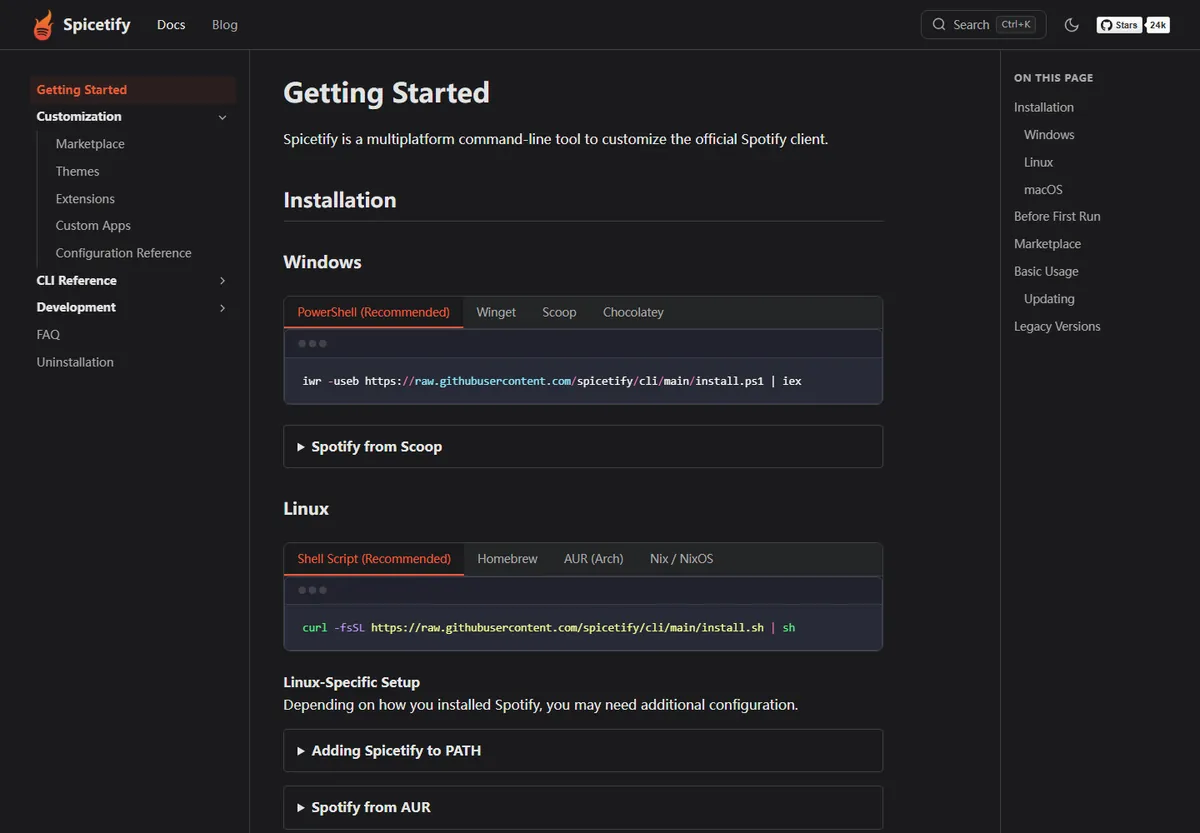
Use the Spotify desktop client, sign in, and keep it open for at least 60 seconds on a fresh installation so its required local files exist.
Open PowerShell on Windows or Terminal on macOS/Linux, paste the matching command from this page, and wait for the Spicetify CLI installation to finish.
Close Spotify, then run spicetify backup apply. This creates a backup of the original resources and applies the current Spicetify configuration.
Marketplace is optional. Install it from its official project command to browse themes, extensions, custom apps, and snippets inside Spotify.
Each operating system uses the same Spicetify CLI, but Spotify paths, package managers, file permissions, and CPU architectures differ. Use the dedicated guide for the commands and checks that apply to your machine.
A complete Windows 10 and 11 walkthrough with PowerShell, Winget, Scoop, Chocolatey, x64, x32, and ARM64 choices.
Install with the official shell script or Homebrew, then point Spicetify to the Spotify application resources when needed.
Choose the shell script, Homebrew, AUR, or Nix route and handle Spotify package-specific paths and permissions.
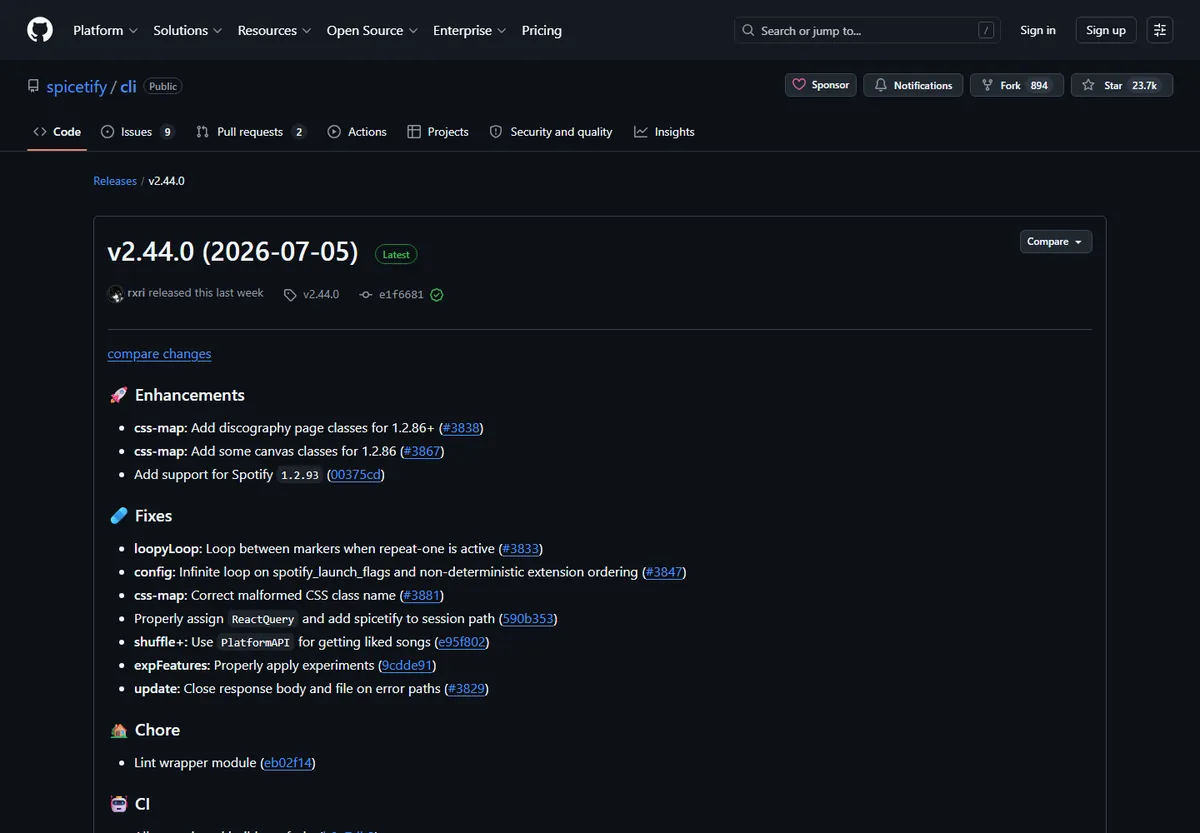
The latest verified Spicetify download is v2.44.0. GitHub published the release on July 5, 2026, and marks it as Latest. The release adds support for Spotify 1.2.93, updates CSS mappings for recent Spotify pages, and fixes update, configuration, and extension behavior.
Official compatibility notes list Spotify 1.2.14 through 1.2.93 for Windows, macOS, and Linux. The Microsoft Store build is included, although the release notes warn that some Store users may need to apply Spicetify again after closing Spotify. Compatibility changes quickly, so check the release page when Spotify has just updated.
| Platform | Official file | Size | Use when |
|---|---|---|---|
| Windows x64 | spicetify-2.44.0-windows-x64.zip | 7.61 MB | Most Intel/AMD Windows 10 and 11 PCs |
| Windows ARM64 | spicetify-2.44.0-windows-arm64.zip | 7.08 MB | ARM-based Windows devices |
| Windows x32 | spicetify-2.44.0-windows-x32.zip | 7.65 MB | Legacy 32-bit Windows installations |
| macOS Apple Silicon | spicetify-2.44.0-darwin-arm64.tar.gz | 7.11 MB | M1, M2, M3, M4, and later Apple chips |
| macOS Intel | spicetify-2.44.0-darwin-amd64.tar.gz | 7.47 MB | Intel-based Macs |
| Linux amd64 | spicetify-2.44.0-linux-amd64.tar.gz | 7.42 MB | Most 64-bit Linux desktops |
A Spotify update can replace files previously modified by Spicetify. That does not usually mean the CLI was uninstalled, so repeatedly downloading Spicetify is unnecessary. Start by creating a fresh backup and applying your configuration again.
If reapplying fails because the installed CLI is behind Spotify, run the built-in update command. Package-manager installations may need to be updated through Winget, Scoop, Chocolatey, Homebrew, AUR, or the package manager that originally installed them. When no compatible Spicetify version exists yet, wait for an official release rather than forcing an old build onto a newly updated Spotify client.
Open the complete update guidespicetify backup applyFirst choice after Spotify replaces its application files.
spicetify updateCheck for a newer Spicetify CLI release.
spicetify restore backup applyRestore clean resources, make a new backup, and apply again.
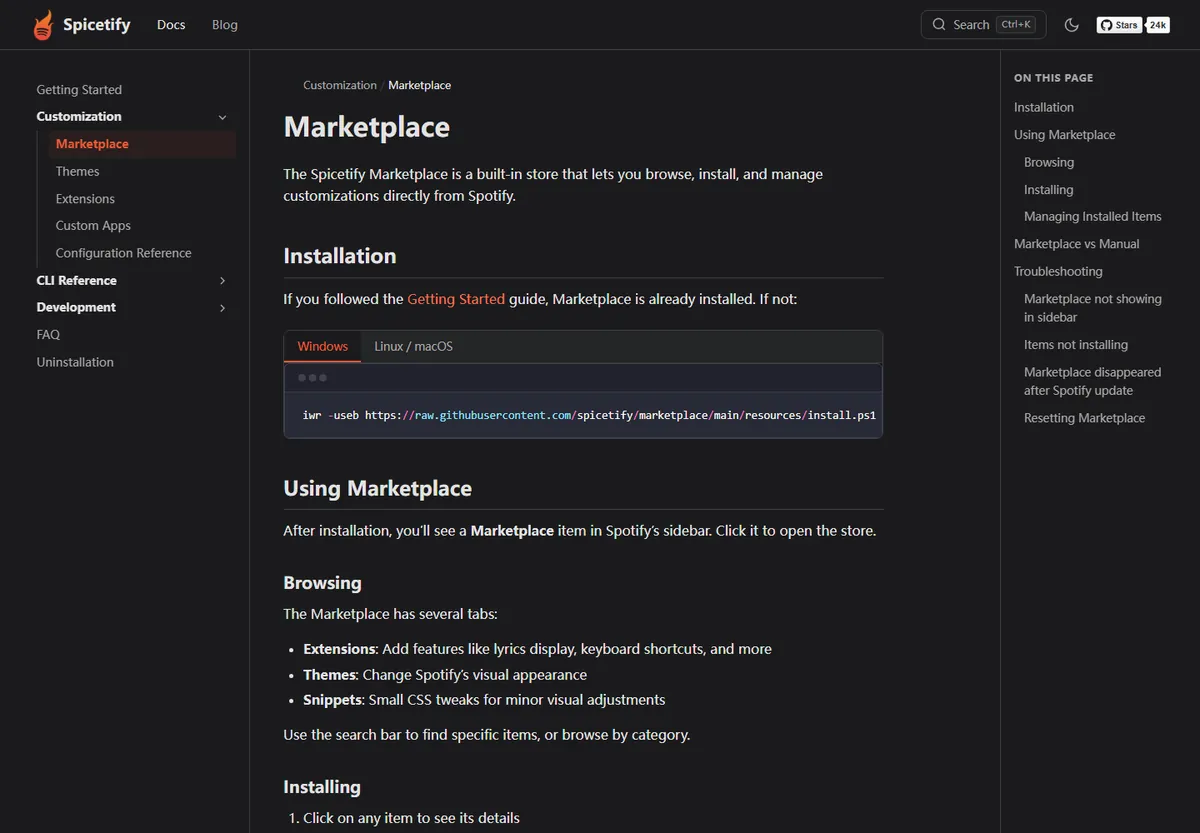
Spicetify Marketplace is a separate project that adds an in-client catalog for themes, extensions, custom apps, and CSS snippets. The newest CLI may include Marketplace during the guided setup, but users upgrading from an older configuration can install it manually.
Use the Marketplace command only after the Spicetify CLI itself works. If Marketplace disappears after a Spotify update, reapply Spicetify first; reinstalling every theme is rarely the correct first step.
iwr -useb https://raw.githubusercontent.com/spicetify/marketplace/main/resources/install.ps1 | iexNo. Spicetify changes the appearance and behavior of the Spotify desktop client, but it is not a Spotify song downloader, MP3 converter, playlist ripper, or Premium unlocker. An extension that claims to export protected streams should not be treated as an official Spicetify feature.
Spotify's own offline listening is controlled by the Spotify app and subscription rules. Those downloads remain inside Spotify and are not ordinary MP3 files. This site does not provide tools or instructions for bypassing access controls, downloading music without permission, or avoiding Premium requirements.
Read the complete explanation →Short answers to the decisions people face before installing or updating Spicetify.
Use the command in the official Spicetify Getting Started documentation or download a matching archive from the official spicetify/cli GitHub release. This site links to those sources and does not host repacked binaries.
The current official command is iwr -useb https://raw.githubusercontent.com/spicetify/cli/main/install.ps1 | iex. You can inspect install.ps1 on GitHub before running it.
Yes. The official project provides Windows x64, x32, and ARM64 builds. Most Windows 10 and 11 computers use x64.
Yes. The project publishes Intel amd64 and Apple Silicon arm64 builds. You can use the official shell script or install spicetify-cli with Homebrew.
Usually no. Run spicetify backup apply first. Update or reinstall the CLI only when the installed Spicetify version is incompatible or damaged.
For Spicetify v2.44.0, the official release notes list Spotify 1.2.14 through 1.2.93 on Windows, macOS, and Linux. Check the latest release notes after new Spotify updates.
No. Spicetify is a desktop-client customization CLI, not a song downloader. Spotify offline listening remains a Spotify feature and does not export normal MP3 files.
No. SpicetifyDownload.wiki is an independent guide. The official documentation is at spicetify.app and the source code and releases are under the Spicetify GitHub organization.